Counts your time.
Never rushes you.
Toki quietly records the app and window you're working in, and at the end of the day it shows how much you actually focused — on a calm, paper-warm screen. No scores, no streaks, nothing to feel guilty about.
Windows 10 / 11 · Runs on launch · Nothing sent online

Quietly track,
gently reflect.
A time tracker that watches beside you, never rushing. It quietly records the apps you touch and returns your day's focus on a paper-warm screen.
Windows 10 / 11 · Nothing sent online
Your focus today,
in one number.
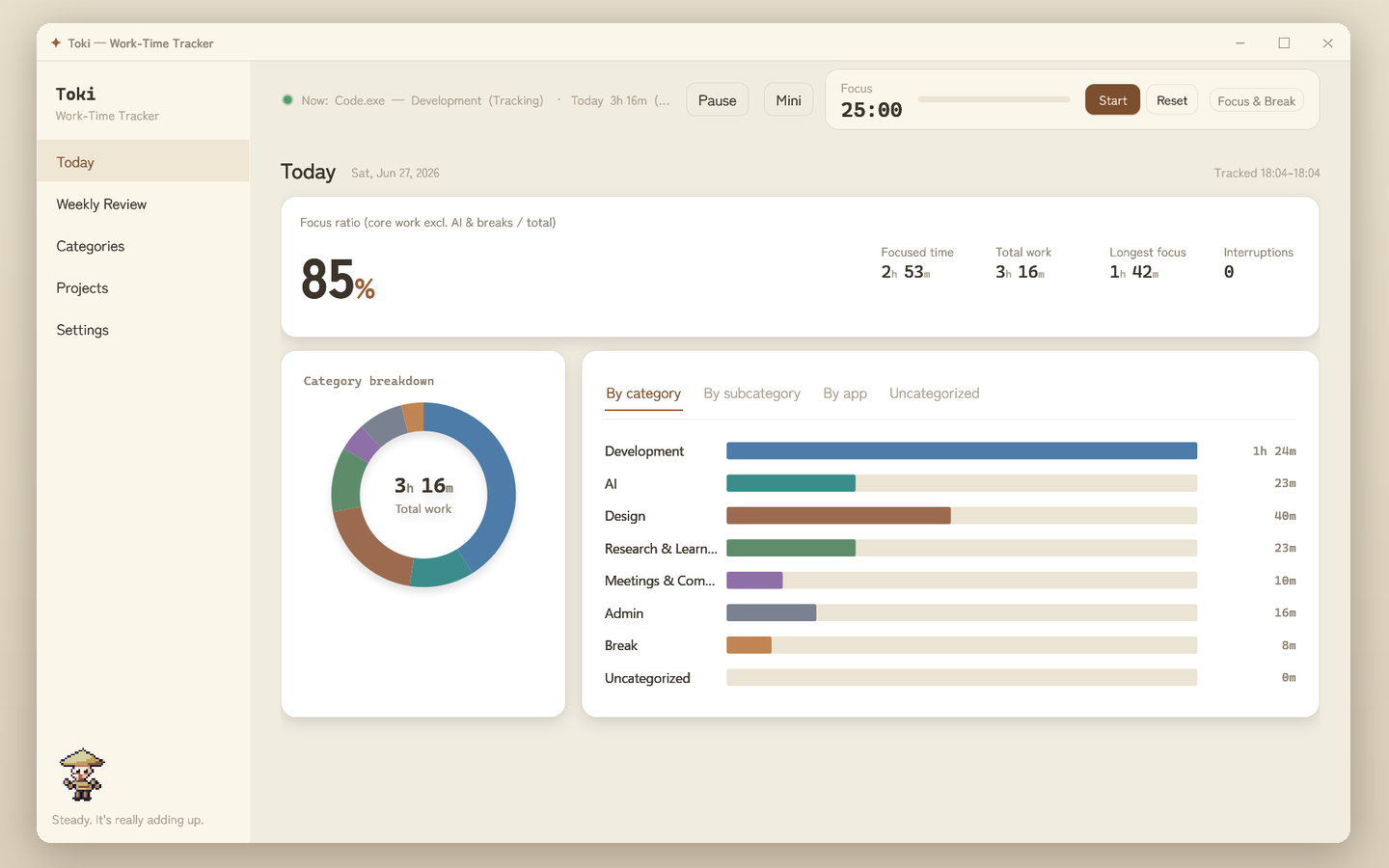
What percent of your day was real focus — excluding breaks and idle time. No complicated metrics.
2h 22m / of 2h 44m worked
Just leave it running.
Toki is a quiet, one-person tool. Tracking, sorting, reflecting — none of it interrupts your rhythm.
Quiet auto-tracking
Records only the active app and window name, and automatically leaves out time away from your desk. Just leave it running.
Focus ratio
What percent of your day was real focus, excluding breaks and idle. One number tells you how today went.
Daily timeline
Your whole day as a single bar — focus, detours, and quiet gaps, just as they were.
Auto categories
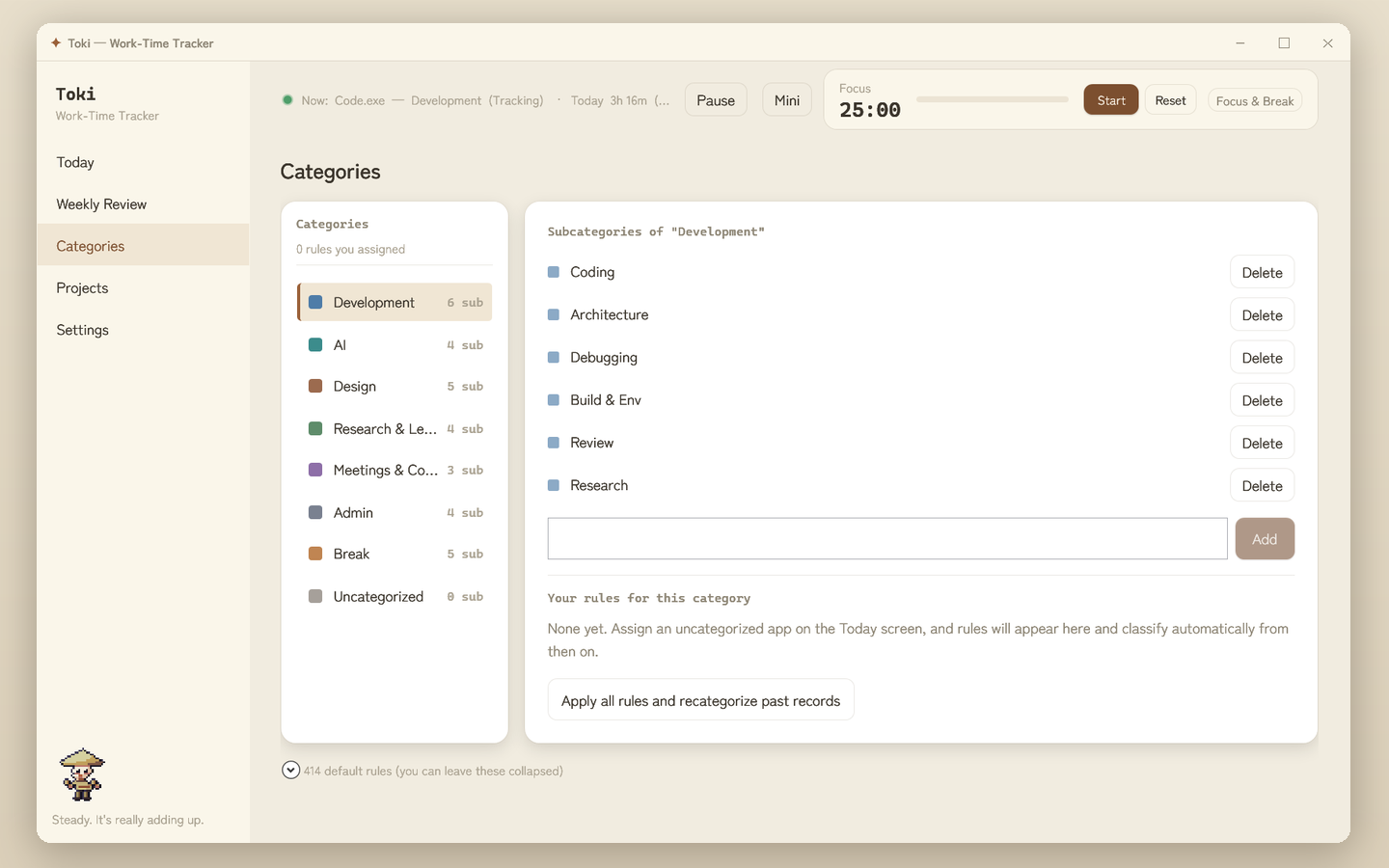
Assign an app to a category once, and Toki sorts it from then on. Dev, design, research — all in order.
Focus & break timer
Focus a little, then rest. No jargon — a quiet timer to find your rhythm.
Mini widget
A small window keeps watch on top, never in the way. Included from the start.
Weekly review
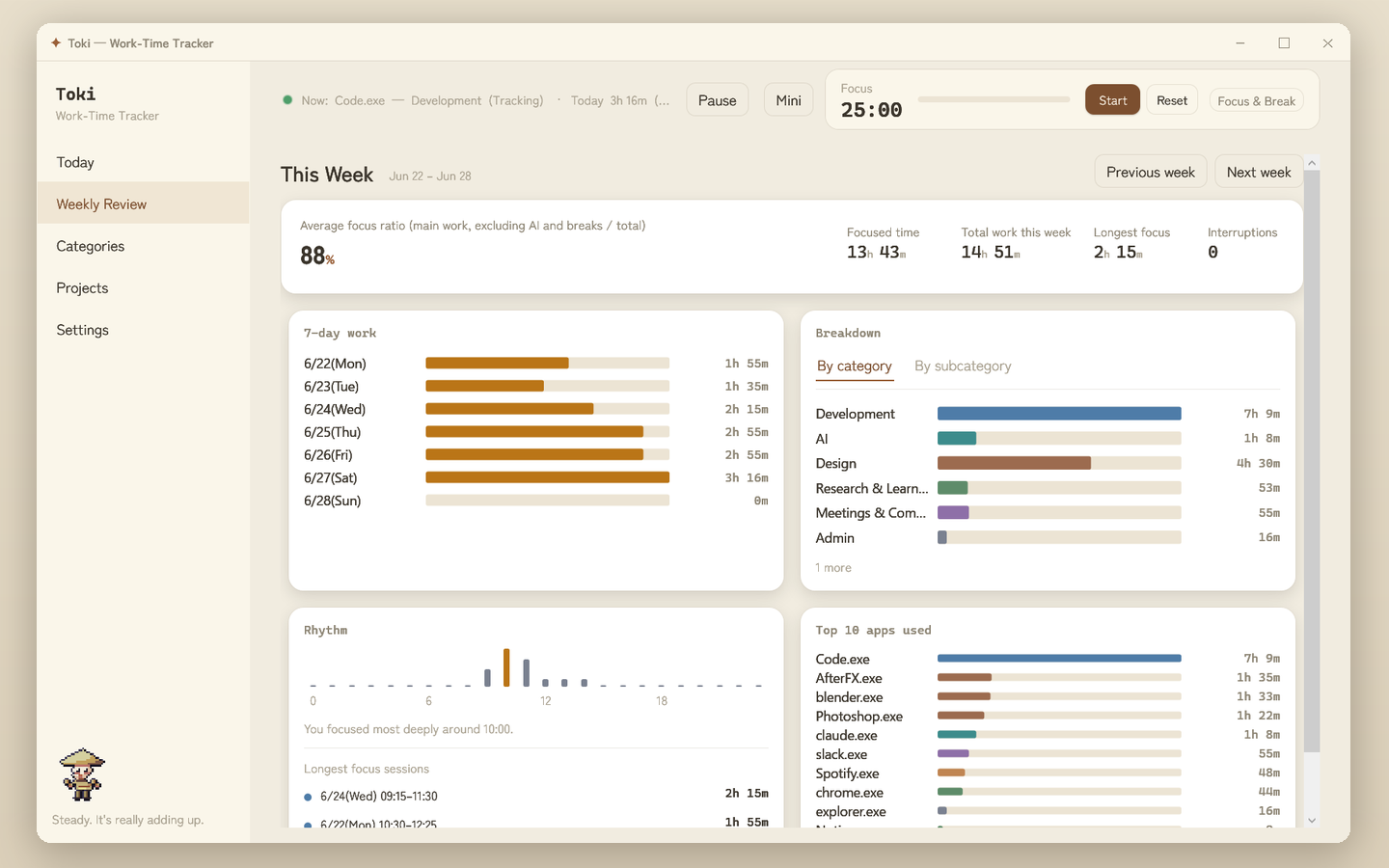
Look back on seven days of rhythm and balance, quietly, at the weekend. Your effort takes shape.
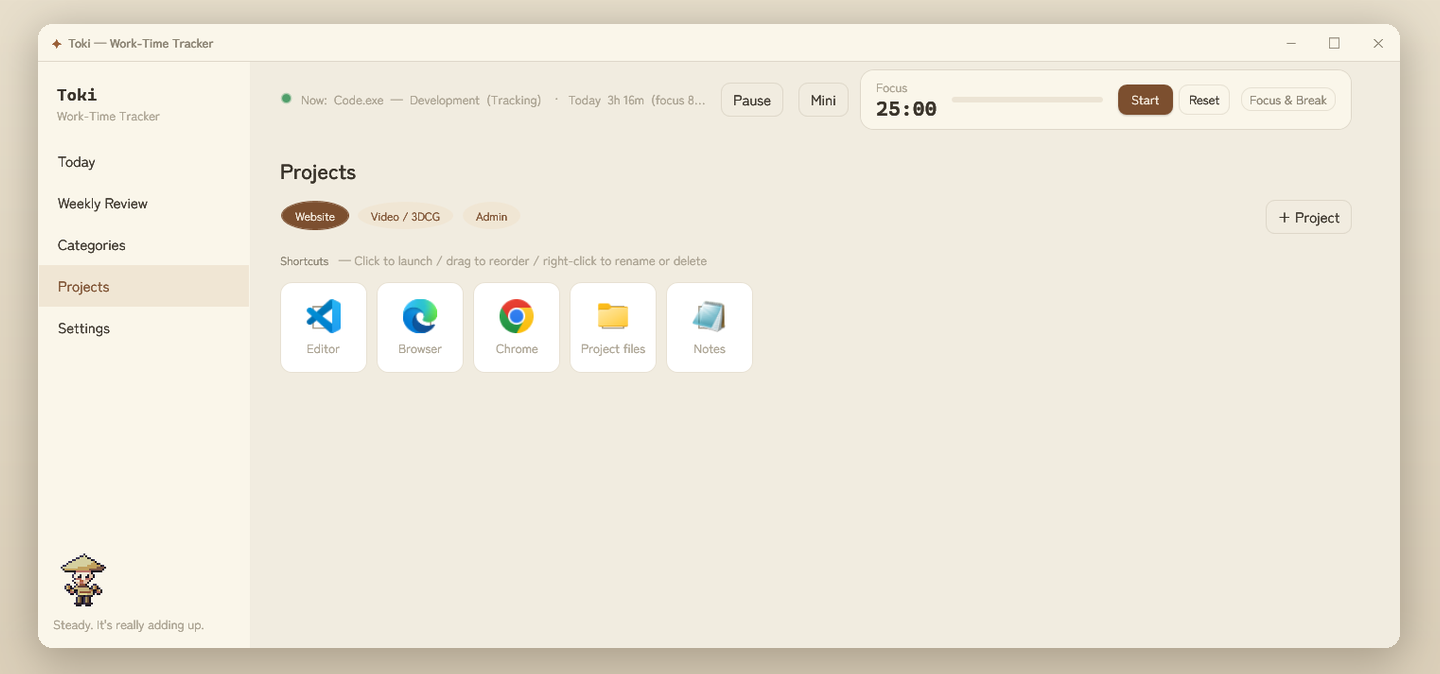
Project launcher
Bundle the apps and files you use and launch them in one click. A small launcher you can switch per job.
Light & dark
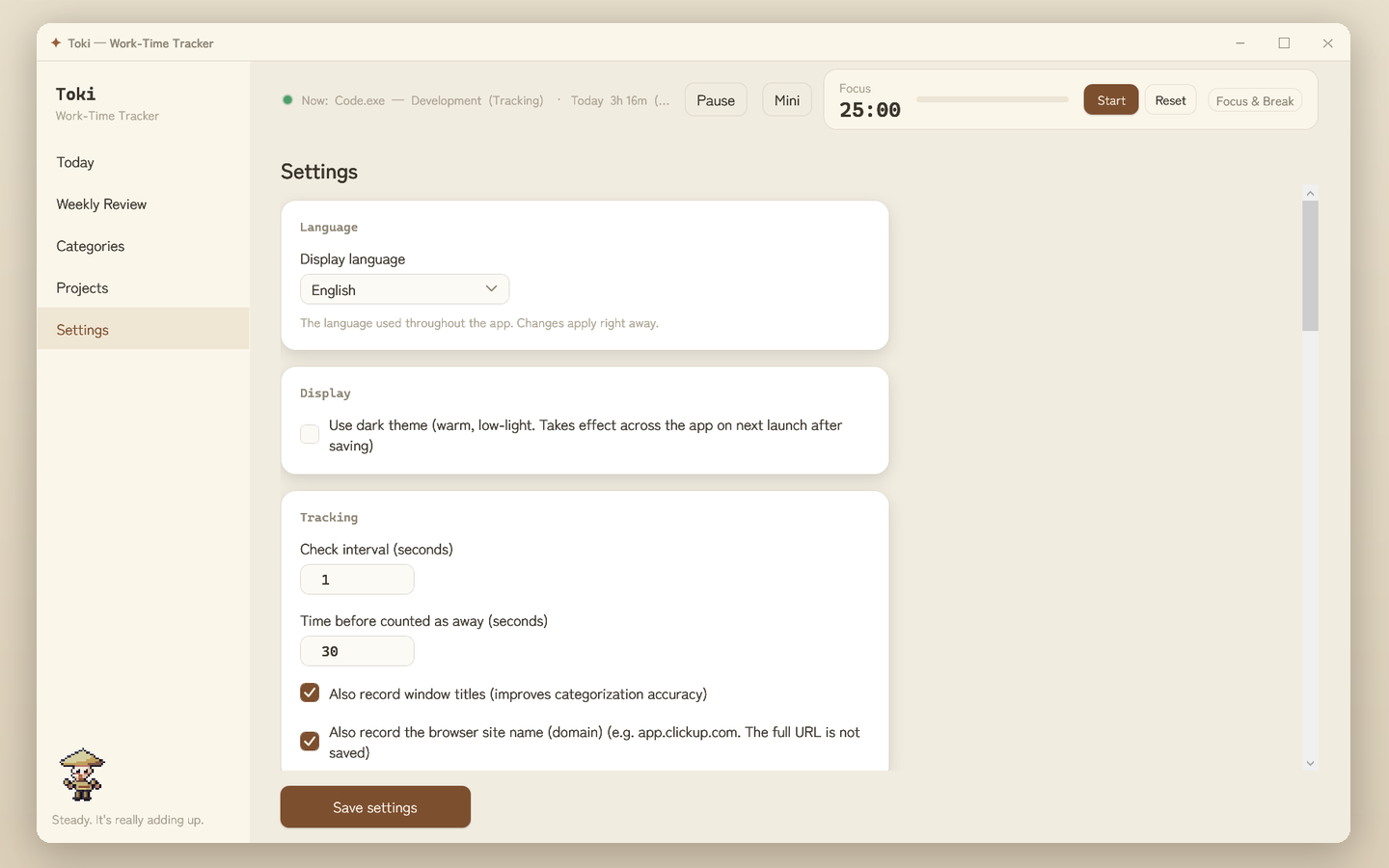
Paper-warm colors for day and night, gentle on the eyes either way.
Stays on your PC
Your records live on this PC alone — no cloud sync; the only external sending is an optional daily-report share you turn on yourself (off by default). Your day is yours.
A pixel companion watches over you from below the nav — a friend, not a monitor.
Getting started, in three.
Settle the settings later. Just install it and work as you always do.
Install and it runs
Just launch it after downloading. Toki waits quietly in the background. No fiddly setup.
Work as usual
Toki quietly records the apps and windows you touch. You don't have to stop for anything.
Glance back at day's end
Check your focused time and ratio, and the day's bar. Build toward tomorrow, quietly.
Always small, always with you.
When you want to focus, switch to mini view. Just the timer and your current focus, pinned in a corner on top. Never in the way.
- ✓Pinned gently on top — drag it anywhere you like
- ✓Switch between a compact widget and a wide bar
- ✓Expand back to the full app in one click, anytime
Bar view — wide, always on top
Widget view — a 128px window
The real screens, as they are.
Paper-warm beige with ink-dark text. No cold grays, no gradients — just calm screens.
Your records stay on this PC. Nothing is sent online.
- ✓Only app & window names saved locally
- ✓No account, no email
- ✓No analytics, no ads
- ✓Clear everything anytime
* The above is about the Toki app. This sales page itself uses cookies for visitor analytics → Privacy & data
All of it, on your PC.
No cloud sync. The only external sending is an optional daily-report share you switch on yourself (off by default). We never record your keystrokes or what's on screen. Your day is yours.
Name your price.
Toki is pay-what-you-want. Start from zero. If you like it and want it to keep going, give whatever feels right.
Toki — one app, everything included
Of course, ¥0 is fine too. Give whatever feels right.
- ✓Quiet auto-tracking · Today · Weekly review
- ✓Auto categories · Focus & break timer
- ✓Mini widget and CSV export, from the start
- ✓Projects · Light & dark · future updates
No feature is ever locked behind a price. Start from ¥0.
Also on itch.io → sinobu.itch.io/toki (installer / portable)
Version 0.1.0 · changelog
Windows 10 / 11 (64-bit). No .NET install required (everything is bundled).
If a warning appears
Windows may say "Windows protected your PC (unknown publisher)." Toki isn't unsafe — it just isn't code-signed yet. Click "More info" → "Run anyway." It runs fully offline and sends nothing.
Frequently asked
Which OS does it support?+
Toki runs on Windows 10 / 11 today. It starts running as soon as you install it, and you can adjust settings later at your own pace.
Where are my records stored?+
All on this PC alone. App and window names are saved locally and nothing is sent online. No account needed.
Will it slow my PC down?+
It's a light background app that runs quietly. CPU and battery impact are kept to a minimum.
What gets recorded?+
Only the name of the active app and window. Never your keystrokes or what's on screen.
Can I set my own categories?+
Yes. Assign an app to a category and Toki sorts it automatically after that. Common apps come with sensible defaults.
Can I export my data?+
Yes. You can export to CSV, and you can clear all your records anytime.
Build your day, quietly.
Toki sits beside you without nagging. Just leave it running, and your day starts to take shape.